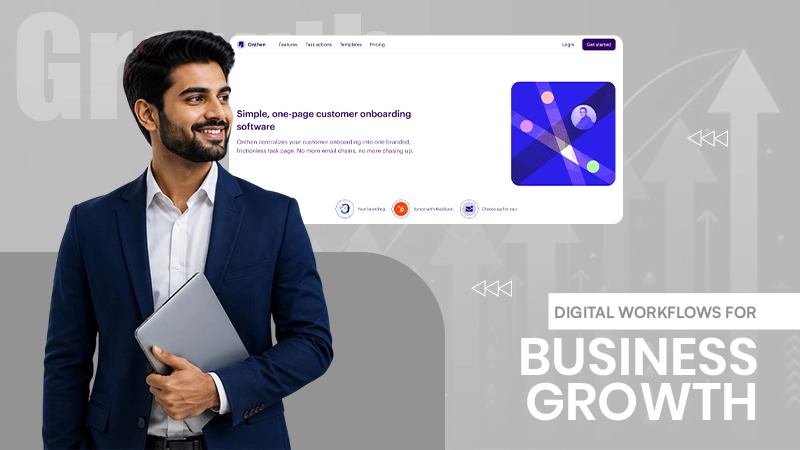


Connectivity has become one of the most important elements of a profitable business. With technology being the centre of consideration for developing businesses, email chains, spreadsheets and manual approvals have gained a significant spot.
With everything being surrounded by and well-connected through a digital workflow, each task gains individual importance in the business world, which can only be met with a structured and comprehensive digital flow.
Here is an article to learn further details!
Key Takeaways
- Digital workflows automate manual processes and structure task management.
- Automating repetitive work means employees can spend their time on higher-value work.
- Departments such as HR, finance and client onboarding often see the fastest ROI from workflow automation
- Improved visibility and audit trails help companies to improve compliance and accountability.
A workflow is not just a simple software. It is a structured process map that aims at: trigger, action, approval, output. And when you digitize it, the system begins to enforce the sequence rather than relying on someone’s memory.
Whether it is employee onboarding. Or vendor approvals. Or client intake. Each one of them has the same shape: a form gets submitted, data gets validated, a person reviews it, and the result gets stored or is forwarded. A digital workflow tool handles each one of those steps without a human clicking “forward” ten times a day.
For service businesses, this is especially visible in client-facing intake. A firm that uses customer onboarding software can collect documents, run identity checks, and assign accounts automatically, cutting the time that exists between signed contract and active client from days to hours.
Manual work is not just slow. It is far more expensive in ways that don’t show up on a single invoice.
Consider what happens without automation:
None of this is hypothetical. Research from Forrester’s Total Economic Impact study, commissioned by Microsoft, found that enterprises deploying workflow automation platforms saw a 248% return on investment over three years. That number often holds up because the savings compound. Fewer errors in such cases mean less rework. Faster approvals often mean faster revenue recognition. You can even review the full methodology in the Forrester TEI summary that Vena Solutions cited.
Not every process requires the same level of automation. Some areas pay back faster than others.
Finance teams benefit from several automated invoice routing and approval chains. A three-step approval, which can take a week, can close in a day once the system routes it based on invoice amount and department.
HR teams benefit from such structured onboarding. New hire paperwork, equipment requests, and system access can even help trigger from one form submission instead of five separate emails.
Client services also seem to benefit the most from intake automation. This is exactly where first impressions form. A slow, manual onboarding process that tends to signals disorganization before a client has even used your product. A fast, structured one signals competence from day one.
A workflow that only works if it matches how the business actually operates, not how leadership assumes it operates. Begin with mapping the current process exactly as it happens today, including the workarounds staff use to get things done.
Once you have that map, look for three things:
Automate these factors first. Leave behind genuinely judgment-heavy decisions, like final contract approval or exception handling, with a human reviewer.
Test the workflow with a small team before rolling it out company-wide. Watch where people get stuck or bypass the system. These are the places where those friction points usually point to a step that was designed on paper but doesn’t match reality.
Businesses that treat workflow automation as optional are often the ones competing against businesses that don’t. As a result, the gap shows up in response time, error rates, and how fast a new client or employee becomes productive.
You don’t even need to automate everything at once. Simply start with the process that causes the most friction today. You can further map it, automate the repeatable steps, and measure the time saved. Then move to the next one.
The businesses that usually get ahead aren’t necessarily the ones with the most tools. They’re in fact the ones that removed the manual bottlenecks first.
Digital workflows have become a practical way to improve efficiency, accuracy and stability. Whether it is onboarding, approvals, or day-to-day operations, investing in digital workflows helps build a more agile,future-ready organisation.
Digital workflows create a shared record that helps all team members stay up to date on the progress of a task or process. This transparency helps keep all stakeholders accountable for their portion of the project.
Workflows are important because they bring structure, clarity, and consistency to how work gets done, ensuring tasks are completed efficiently, accurately, and on time.
A workflow is a system for managing repetitive processes and tasks which occur in a particular order.
The three basic components of workflows are inputs, transformations, and outputs. Inputs are the materials needed to complete a task.