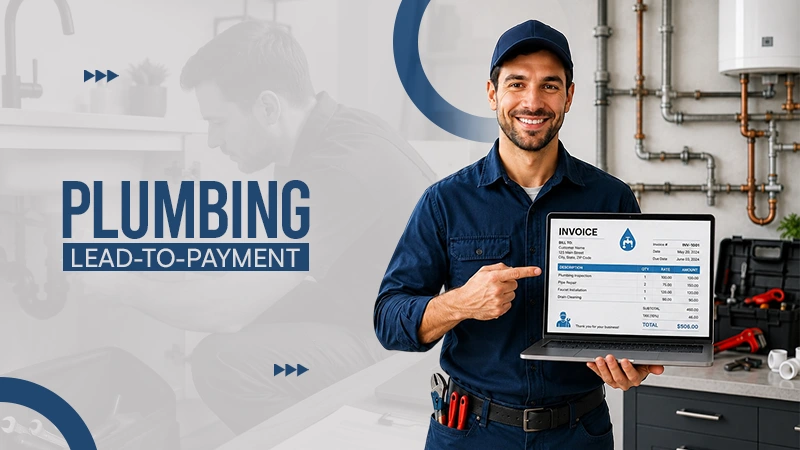


HighLevel is a one-stop destination that provides you with the privilege of getting all your plumbing services at a single centralised point.
Starting with lead generation, enquiries, services, payment collection and feedback everything in a single hub.
Plumbers can utilize this to capture leads, demand a follow-up, book their appointments in time and review their requests as well. Not only does this remove the hustle of moving from one platform to another, but it also improves the experience ultimately.
That is where tools such as FieldTask can extend HighLevel with technician tracking, attendance, routes, timesheets, and other field operations.
Read further to explore more!
A plumbing company usually manages two connected workflows.
The first process involves the customer journey:
Lead → Conversation → Booking → Estimate → Job → Invoice → Payment → Review
The second process involves the technician:
Assignment → Travel → Arrival → Work → Time Tracking → Job Completion
HighLevel handles the first workflow effectively.
The second workflow usually needs more specialized field service tools.
Keeping these two processes separate makes the software setup easier to organize.
Plumbing leads can come from several channels.
Common sources include:
HighLevel can place these contacts into one CRM instead of requiring office staff to manage inquiries across several systems.
For example, a homeowner may submit a form for a faulty water heater.
HighLevel can create the contact, record the inquiry, create an opportunity, and start the appropriate follow-up process.
This gives the plumbing company one place to manage the customer connection.
Speed matters in plumbing services.
A homeowner with a burst pipe or blocked drain will rarely wait several hours for a reply.
HighLevel workflows can help businesses respond instantly after a new inquiry.
A simple workflow might:
This does not eliminate a human response.
It reduces the gap between the customer asking for help and the plumbing company making contact.
For emergency services, that gap can directly affect whether the company secures the job.
Missed calls are especially costly for plumbers.
Customers often contact several plumbing companies when they need urgent assistance.
A missed-call workflow can send a text after an unanswered phone.
The message can confirm that the business received the call and ask the customer to explain the problem.
For example:
“Sorry we missed your call. What plumbing issue are you experiencing, and is it an emergency?”
This simple automation gives the business another chance to start the interaction.
It also helps collect useful information before an employee calls again.
A plumbing pipeline should show where each customer currently is.
A practical setup could include:
The pipeline gives office staff a quick view of open opportunities and active projects.
It also helps prevent leads and unpaid invoices from getting lost inside the CRM.
However, pipeline stages should represent important business stages.
Avoid creating a stage for every small technician task.
HighLevel calendars can handle bookings for different types of plumbing services.
A company could create separate calendars for:
Different calendars can use different appointment durations and availability settings.
This matters because a simple inspection may require 30 minutes while a greater installation may take several hours.
The schedule should reflect how the plumbing company actually works.
Customers should know when the plumber is scheduled.
HighLevel can automate booking confirmations and reminders through SMS or email.
A typical sequence may contain:
These messages can reduce forgotten appointments and unnecessary phone calls to the office.
They can also include practical details such as the service address or guidelines for preparing for the visit.
HighLevel can help office staff assign opportunities, contacts, or tasks to employees.
That provides basic job responsibility.
For example, the dispatcher may assign a water heater repair to a specific technician and send an internal notification with:
This works for basic assignments.
The limitation is what happens after the plumber departs.
An assigned user does not automatically tell the manager whether the plumber arrived at the property, how long the trip took, or how much time the employee spent at the job.
Plumbing businesses need more than customer information.
Managers often need visibility into what technicians are doing away from the office.
Typical requirements may include:
These functions belong more naturally to field service management platforms.
Trying to recreate all of them through HighLevel tags and custom fields can make the system harder to manage.
FieldTask is the most connected FSM app for HighLevel and can fill the operational gap without requiring a plumbing company to replace HighLevel.
The setup can divide responsibilities clearly.
HighLevel handles:
FieldTask handles more of the field workforce side:
This approach keeps HighLevel focused on customer management while giving the business better oversight over technicians.
For a growing plumbing company, that separation is more efficient than forcing every field process into the CRM.
Plumbing businesses often need to provide a quotation before starting larger jobs.
Examples include:
HighLevel can support the customer communication and remind around an estimate.
For example, once an estimate is sent, the business can automatically follow up if the customer does not respond.
A simple sequence could be:
Estimate Sent → Wait → SMS Follow-Up → Wait → Email Follow-Up → Call Task
The automation should stop when the customer accepts, declines, or schedules the service.
This helps plumbers follow up consistently without manually reviewing every open estimate.
Invoicing should happen as close to job finish as practical.
Delays increase the chance of forgotten charges, administrative work, and slower cash collection.
HighLevel can support invoicing and payment workflows inside the broader customer profile.
A plumbing invoice may include:
The invoice should match what the customer approved and what the plumber actually performed.
For complicated jobs, the office may still need to review the final charges before sending the bill.
Payment is another part of the customer journey.
A plumbing business should make it easy for customers to pay once the work is completed.
The payment workflow can connect directly to the customer and opportunity record instead of forcing staff to update several separate systems individually.
For example:
Job Completed → Invoice Sent → Payment Received → Opportunity Closed
If the invoice remains unpaid, a follow-up workflow can notify the customer.
The reminders should remain professional and appropriate to the amount and payment terms.
Aggressive automated reminders can damage the relationship more than they help collections.
Plumbing companies often lose time following up on outstanding payments.
HighLevel workflows can help reduce that administrative burden.
A basic payment reminder sequence might contain:
This works best when the company establishes clear payment terms first.
Automation should support the billing process, not override proper accounting controls.
Reviews matter greatly for local plumbing businesses.
Potential customers often compare plumbers based on local ratings, recent reviews, and service quality.
HighLevel can trigger a review request once a completed job reaches the right point.
Timing is important.
Do not automatically ask for a review before verifying that the service was completed successfully.
A short delay after a successful job usually creates a more comfortable experience.
Small plumbing companies may not need a complex field service setup right away.
An owner with one or two technicians may manage assignments through calendars, pipelines, phone calls, and internal alerts.
The situation changes as the team expands.
A plumbing company with several technicians needs better answers to questions such as:
HighLevel alone is not designed to responses all of these questions in detail.
Adding FieldTask or another field operations tool becomes more useful as technician coordination becomes more challenging.
More software does not automatically create a better setup.
Each platform should have a clear purpose.
For many plumbing businesses, a sensible structure is:
HighLevel: leads, CRM, bookings, communication, pipeline, invoicing, payments, reviews.
FieldTask: technicians, locations, attendance, routes, working hours, and field activity.
Accounting software: financial reporting, bookkeeping, reconciliation, and tax records when required.
This reduces duplication.
It also makes it easier for employees to understand where information fits.
HighLevel can serve as a strong customer management and automation tool for plumbers.
It connects lead generation, follow-up, booking, estimates, customer communication, invoicing, payments, and review requests in a logical process.
Its weakness appears once the business needs detailed technician and field workforce coordination.
The result is a more complete system.
Invoice processing is the path a business takes to receive, check, approve, and pay a bill from a supplier.
To ask for an invoice payment professionally, send a clear, polite reminder email 1 to 3 days after the due date.
There are many kinds of invoices used in business. The most common types include standard sales invoices, proforma invoices for estimates, recurring invoices for subscriptions, interim invoices for project milestones, and commercial invoices for international shipping.
The seller, vendor, service provider, or freelancer who provides goods or services prepares and sends the invoice to the buyer or client.